

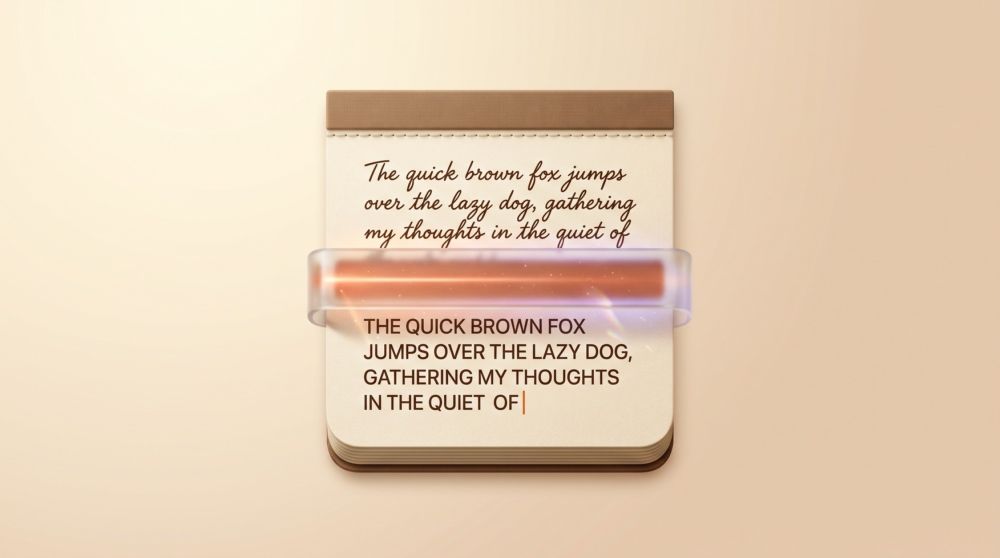
Traditional OCR tools are built for printed text, so they often miss handwriting and lose complex layouts. Handwriting to OCR is a handwriting recognition AI built for real handwriting, including cursive, shorthand, and notes written over printed text.
-
Built around real handwriting. It reads hurried notes, joined-up cursive, and shorthand, not only clean printed text. The result sits next to the original, and on desktop, highlighted blocks show exactly which text and images were recognized. https://www.reddit.com/r/Handwriting/comments/1xvdw94/back_to_school_back_to_school/
-
Handwritten math. Handwritten equations, fractions, exponents, and square roots are recognized and rendered as formatted math.
-
Faithful layout display. Print layout reads where each text block sits on the original page and mirrors those positions in the result view. To keep that placement in an exported file, switch to Print layout and export as PDF.
-
Beyond plain text. Tables, headers, footers, quotes and lists keep their structure, so the result reads like the original page. https://www.princexml.com/samples/
-
Over 170 languages. One page can mix languages, and each part is recognized.
What Handwriting to OCR Can Recognize
Handwriting to OCR reads more than handwritten words. It recognizes the text, tables, equations, and images on a page, and it keeps the structure of the page, so the exported file stays close to the original.
Messy Handwriting and Cursive
Handwriting to OCR reads hurried notes, joined-up cursive, and shorthand. It also handles marginal comments and handwriting written over printed text, so the words you need are not lost in the mix of print and ink.
Headings, Lists, and Quotes
Titles, section headings, bullet points, numbered lists, and quoted passages are recognized as separate blocks. The Markdown output keeps their hierarchy, and the DOCX export carries the headings over, so the outline of the original page is preserved.
Tables
Handwritten and printed tables are recognized row by row and column by column. Schedules, order forms, and grids are exported as tables, so their structure is not flattened into loose lines of text.
Math Equations and Formulas
Handwritten equations, fractions, exponents, and square roots are recognized and rendered as formatted math. A handwritten quadratic formula, for example, appears as a readable equation rather than a line of plain text.
Inline Images and Illustrations
Logos, diagrams, sketches, and illustrations are extracted as images and included in the export. In Markdown, they are saved as separate image files. In DOCX, they are embedded in the document.
Mixed Languages
A single page can combine several languages. Handwriting to OCR recognizes over 170 languages, so a page that switches between languages is handled in one pass.


